
How to make your spell cards

Choose the rules your table uses: 2024 for the revised Player's Handbook rules (SRD 5.2) or 2014 for the original fifth edition (SRD 5.1). Pick your class and the spell levels you can cast, then tick spells in the list. The quick pick button adds every spell on your class list up to a level in one go, which is handy for clerics, druids and paladins, who prepare from their whole list. Wizards, sorcerers, bards and warlocks usually only want the spells they actually know; see prepared vs known spells if you're not sure which applies to you.
When the preview looks right, press Print or save as PDF. Set the scale to 100% so the cards come out at the real size, and choose Save as PDF in the printer list if you want a file for later or for a print shop.
What's on each card
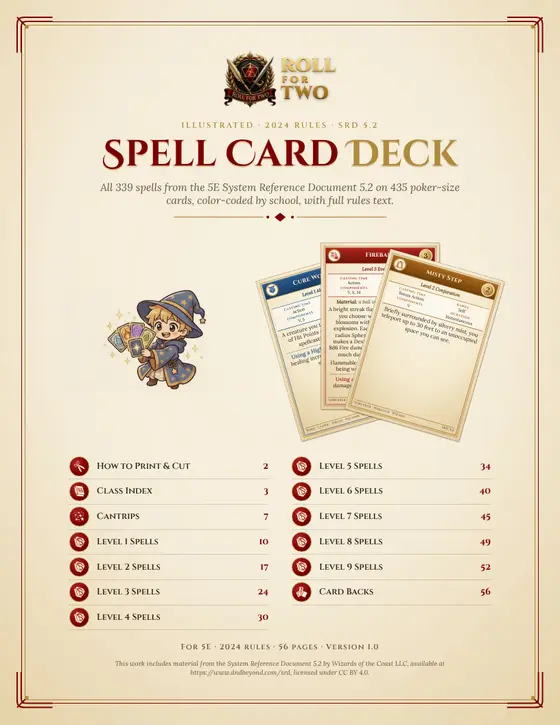
Each card shows the spell's name, level and school, the Ritual and Concentration tags, and the four numbers you look up most at the table: casting time, range, components and duration. The colored strip on the left matches the spell level, so you can sort a deck by level at a glance. Material components and reaction triggers sit at the top of the text, and the higher-level effect closes the card. New to slots and levels? Read spell slots explained and how spellcasting works.
The text is fitted to the card automatically. Short spells get comfortable type; long ones shrink a little at a time. When a spell would get too small to read, it continues on a second card marked (continued), so nothing is cut off. Large cards fit almost every spell on one card.
Tips for using spell cards at the table
Keep cards for the spells you prepared today in front of you and the rest in a box. Flip a card face down when you cast a spell that needs concentration, so everyone remembers it's running. Rituals are marked on the card; ritual casting explains when you can cast them without a slot. If you're building your first caster, our best spells for beginners list and the class guides for the wizard and cleric are a good place to start your deck.
Where the spell text comes from
The cards use only spells from the official System Reference Documents, which Wizards of the Coast published under the Creative Commons Attribution 4.0 license. We checked the text against the SRD documents, so the cards say what the free rules say. The credit line is printed on the last card of every set:
2024: This work includes material from the System Reference Document 5.2 (SRD 5.2) by Wizards of the
Coast LLC, licensed under CC BY 4.0.
2014: This work includes material taken from the System Reference Document 5.1 (SRD 5.1) by Wizards of the
Coast LLC, licensed under CC BY 4.0.
Frequently asked questions
Are these spell cards free to print?
Yes. Pick your spells, press Print, and print them at home or save them as a PDF. There is no sign-up and no watermark. The spell text comes from the System Reference Documents, which Wizards of the Coast released under the Creative Commons CC BY 4.0 license, so you can print as many copies as you like.
Which spells are included?
Every spell in the free rules: 339 spells from SRD 5.2 for the 2024 rules and 319 spells from SRD 5.1 for the 2014 rules. That covers the core spell lists of the bard, cleric, druid, paladin, ranger, sorcerer, warlock and wizard. Spells that only appear in the Player's Handbook or other books are not in the SRD, so they are not included.
Can I make Artificer spell cards?
Yes. Pick Artificer as the class and you get every spell on the Artificer list from Tasha's Cauldron of Everything that is also in the free rules, 71 spells from Acid Splash to Wall of Stone. Spells that only exist in other books, such as Catapult, Absorb Elements and Tasha's Caustic Brew, have no free rules text, so you'll need to write those cards yourself.
How do I print the cards at the right size?
In the print dialog, set the scale to 100% or Actual size, not Fit to page. Margins can stay on Default. Poker-size cards are 2.5 by 3.5 inches, nine to a US Letter or A4 page, so they fit standard card sleeves (63.5 x 88 mm). To make a PDF, choose Save as PDF as the printer.
What happens with long spells like Wish or Teleport?
The text shrinks step by step until it fits the card. If a spell is still too long at the smallest readable size, it continues on a second card marked (continued). Switch to Large cards (4 per page) if you prefer every spell on a single card in bigger print.
What is the difference between the 2014 and 2024 spell cards?
The 2024 cards use the revised rules from SRD 5.2: new wording, updated class lists, Cantrip Upgrade and Using a Higher-Level Spell Slot sections, and changes to spells like Cure Wounds and Counterspell. The 2014 cards use SRD 5.1. Pick the edition your table plays; the tool keeps a separate selection for each.
What paper should I use?
Plain printer paper works if you slide the cards into sleeves in front of an old playing card. For cards that stand on their own, use 65 to 110 lb card stock (about 175 to 300 gsm). Turn on Ink saver for white cards with black text if you print a lot of them.